WData Table
Think of the WData table as a registry for workflow data. It records every type of work package data associated with a workflow.
Purpose: Tracks elements of the work package. Data_Subtype → Defines the type of data (attachments, comments, attributes, forms). Data_UserData → Stores the reference needed to retrieve the data.Data_UserData contains the related DTreeCore.DataID.Valid values for Data_Subtype:
1 → Attachments2 → Comments3 → Attributes4 → Forms2. DTreeCore
Attachments and forms linked to a workflow are stored here and in its associated tables. This is where the actual content resides.
3. WFComments
Workflow comments are captured in the WFComments table. These are the notes and feedback added during task execution.
4. WFAttrData & WFAttrDataVersions
Workflow attributes are stored in WFAttrData. If the Map designer requires versioning, attribute history is maintained in WFAttrDataVersions.
Query
Sample SQL query that retrieves workflow comments tied to subwork items:
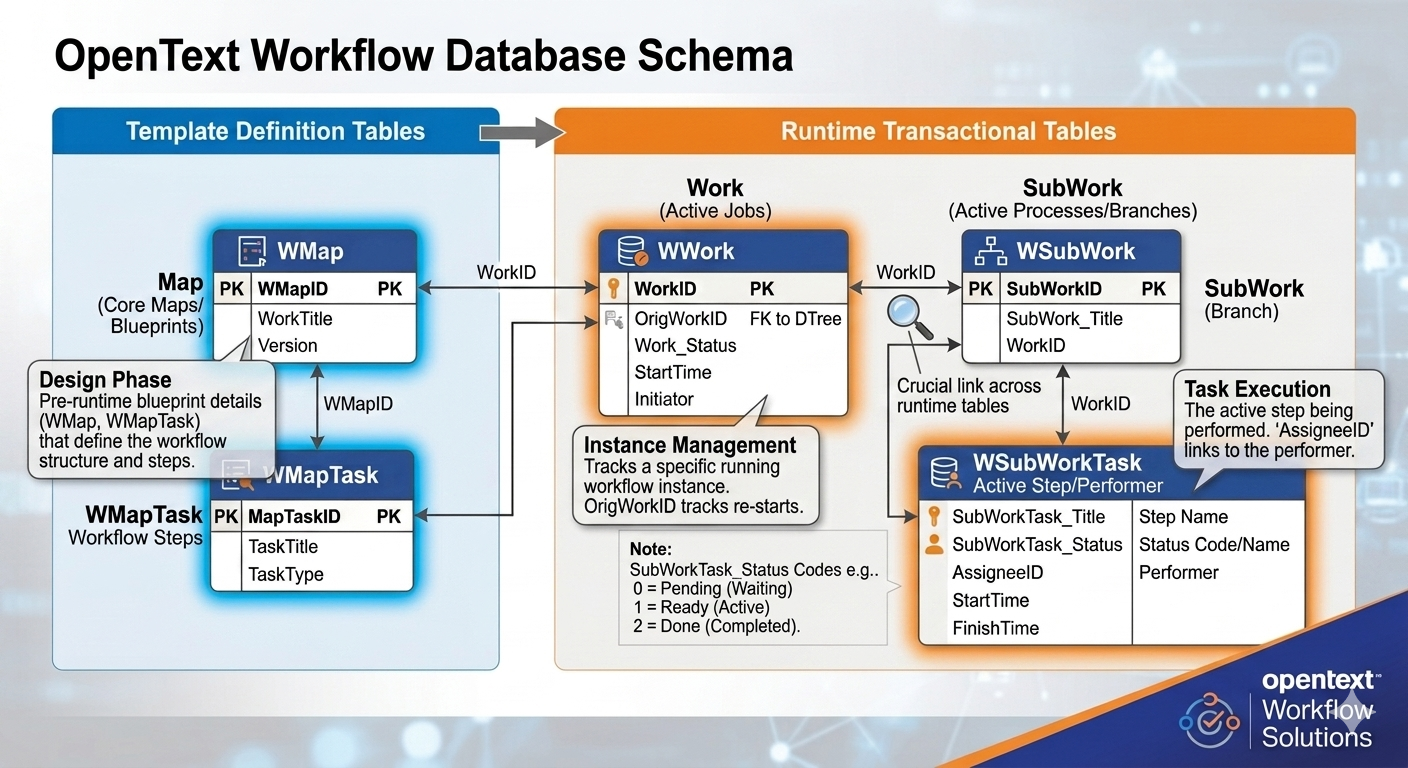
SELECT subwork_title, wf_taskid, wf_value FROM wfcomments, wsubwork WHERE subwork_workid = wf_workflowid AND LEN(wf_value) > 0 AND wf_value IS NOT NULL;
Final Thoughts
While OpenText Content Server offers many workflow-related tables, focusing on WData, DTreeCore, WFComments, and WFAttrData will cover most day-to-day reporting needs. Understanding how these tables interact makes it easier to design efficient reports and troubleshoot workflow data.
Would you like me to also add visuals (like a diagram of table relationships) to make this blog more engaging for readers?